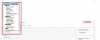
Youtube Channel - First Video

Hello. I am new to youtube. I just created my first youtube channel but have a quick question about uploading my first video UNDER the "Home" menu bar. How do I create the first video under the menu bar and also have text or description on the Right side of the video?

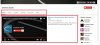
I have attached an image to show you what I am talking about. I put a RED border around the top Menu Bar and the RED border around the video underneath the Menu Bar.

Thanks for any advice!
 

Attachments

  • youtube.jpg
    youtube.jpg
    133.2 KB · Views: 20
I just did some more screen shots.

When I go into My Channel, under the Menu Bar, there are to options to pick from. The CONTENT and LAYOUT. I need help on the CONTENT pull down menu. I will leave the LAYOUT alone. When you select the CONTENT pull down menu, which option do you pick to get the video with the Right side text layout. Take a look at the picture youtube4.jpg
 

Attachments

  • youtube2.jpg
    youtube2.jpg
    45 KB · Views: 1
  • youtube3.jpg
    youtube3.jpg
    35.8 KB · Views: 1
  • youtube4.jpg
    youtube4.jpg
    71.7 KB · Views: 1
I think you might be talking about channel navigation? If so, try clicking the pen near your subscribe button on your channel. In the drop down click 'Channel Navigation' and then enable the 'customize the layout of your channel' . Hope this helps.
 
I think you might be talking about channel navigation? If so, try clicking the pen near your subscribe button on your channel. In the drop down click 'Channel Navigation' and then enable the 'customize the layout of your channel' . Hope this helps.


Thanks for your help!

The 'customize the layout of your channel' was already enabled. I need help to pick which option for the inserting the first video under the Menu Bar. Please see my second post with more pictures.

Thank you.
 
Oh! Best way to do that is to create playlists and then select the sections to display the videos within those playlists.
 
Oh! Best way to do that is to create playlists and then select the sections to display the videos within those playlists.


This is more confusing than I thought.

I need to create the very first video under the Menu Bar. I believe it is called the Introduction video which also have a brief description of your Introduction Video. I don't believe you need to create a playlist to make your Introduction Video.

I did use the Upload feature to upload my first video and it seems to show my Introduction Video. But I did not see any text or description next to the Introduction Video. If you go into youtube and look at a business youtube channel, you will always see an Introduction Video under the Menu Bar, search for this business on youtube: Emotiva
 
This is more confusing than I thought.

I need to create the very first video under the Menu Bar. I believe it is called the Introduction video which also have a brief description of your Introduction Video. I don't believe you need to create a playlist to make your Introduction Video.

I did use the Upload feature to upload my first video and it seems to show my Introduction Video. But I did not see any text or description next to the Introduction Video. If you go into youtube and look at a business youtube channel, you will always see an Introduction Video under the Menu Bar, search for this business on youtube: Emotiva
That's a channel trailer. Upload a video and set it as your channel trailer.
 
Back
Top