Please Help! Big upload quality problem (NOONE has been able to solve?)

Hello everyone,

I'm posting this subject in here too, in hope that I can solve this before my deadline in a couple of days.

The last 3 days I've been uploading different versions of my video in hope of finding some solution to why the quality drops SO much.

I'm working in Premiere Pro Cs6, but today its been Premiere CC.
I've pretty much tried every export possibility in the book, and followed severeal tutorial from YT on how to export and upload the best quality. I've never encountered this problem before.

The movie consists of Blackmagic Camera Greenscreen recordings and some Ipad mini retina recordings.

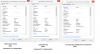
On the pictures you can see the enormous drop of quality uploaded, compared to how nice it looks when played back.
I generally use
H.264
Bitrate Mbps 18 (tried 8, 13, 20, 30)
VBR Pass 2 (tried VBR pass 1 and CBR)
Maxium Render Quality and depth

I'd love to share the clips so you could see them in motion, but I can't seem to do that in this forum?

Please help, I'm totally out of ideas and the YouTube product atm is completely unusable...

Lots of love

Frederik
 

Attachments

  • YouTube upload sux.png
    YouTube upload sux.png
    1.5 MB · Views: 5
  • Specs of files.png
    Specs of files.png
    45.1 KB · Views: 4
Your issue is that the bitrate of the camera is much higher than your target bitrate for your export. Consumer camcorders record in the 24-28mbps range and lower end cinema cameras are easily in the 50-100 range.

You either need to up the bitrate or find a different codec that doesn't compress as much. ProRes422 will probably be your best bet for a high quality format that doesn't compress the information too much, but the file size tends to be rather large.
 
Your issue is that the bitrate of the camera is much higher than your target bitrate for your export. Consumer camcorders record in the 24-28mbps range and lower end cinema cameras are easily in the 50-100 range.

You either need to up the bitrate or find a different codec that doesn't compress as much. ProRes422 will probably be your best bet for a high quality format that doesn't compress the information too much, but the file size tends to be rather large.

Hey man, sounds nice! But I've both followed these bitrates that the clips use, and had them way above and below? Done some exports on 35-40 Mbps and some on 8 (which youtube wants).
The quality looks pretty similar (good) on the export, but the upload's s**t.
I'm trying a AVI uncompressed right now...

I'm thinking if it could have anything to do with the IPAD clips? I've tried uploading them unedited but exported as MP4 and they drop a lot in quality. If thats the case, then obviously it'll look even worse with colors on. Do you have a solution for how to better upload Ipad Clips according to the specs on the picture I've attached?

Thanks man! I'm so out of solutions now. Been everywhere.
 

Attachments

  • Specs of files.png
    Specs of files.png
    73.6 KB · Views: 2
Hey man, sounds nice! But I've both followed these bitrates that the clips use, and had them way above and below? Done some exports on 35-40 Mbps and some on 8 (which youtube wants).
The quality looks pretty similar (good) on the export, but the upload's s**t.
I'm trying a AVI uncompressed right now...

I'm thinking if it could have anything to do with the IPAD clips? I've tried uploading them unedited but exported as MP4 and they drop a lot in quality. If thats the case, then obviously it'll look even worse with colors on. Do you have a solution for how to better upload Ipad Clips according to the specs on the picture I've attached?

Thanks man! I'm so out of solutions now. Been everywhere.


YouTube supports high bit rate-I would recommend exporting to Apple ProRes422HQ and uploading that file-that's what we use at YouTube Space whenever we have 4K footage that needs to be uploaded in 4k.
When you export your file, select quicktime, ignore the preset, then in the video section, use the Apple ProRes422HQ for the codec and use match source under basic settings.
 
Hey man!
Thanks for answering. The clips that are most problematic are Ipad clips added some wild color changes? These clips wouldn't need 4K I assume? How will that benefit the movie then? :)

Also I'm in Premiere on a PC, dont seem to have Apple ProRes422HQ. --> What do you recommend me do?

I'm really getting desprate. I've tried so many exports (Altered bitrates, framerates, CBR, VBR passes) and I just don't see real improvement.
I can see how many posts you have, I'm guessing your pretty rutined, could I possibly send you a link or two and discus posibilities? This is my fourth day and I'm down to now trying screencapturing my movie when I play it in VLC to maybe get that to work... Would really appreciate a proper upload. It looks great on the computer, so I cant undestand why this is happening.
:-/
 
Hey man!
Thanks for answering. The clips that are most problematic are Ipad clips added some wild color changes? These clips wouldn't need 4K I assume? How will that benefit the movie then? :)

Also I'm in Premiere on a PC, dont seem to have Apple ProRes422HQ. --> What do you recommend me do?

I'm really getting desprate. I've tried so many exports (Altered bitrates, framerates, CBR, VBR passes) and I just don't see real improvement.
I can see how many posts you have, I'm guessing your pretty rutined, could I possibly send you a link or two and discus posibilities? This is my fourth day and I'm down to now trying screencapturing my movie when I play it in VLC to maybe get that to work... Would really appreciate a proper upload. It looks great on the computer, so I cant undestand why this is happening.
:-/

Update to the latest version of Quicktime and it should give you the ProRes access. ProRes isn't just about 4k. It's not as compressed as other codes like h.264 but takes up less room than uncompressed files. If you have a decent upload speed from your ISP, I'd recommend using ProRes to maintain the quality of your uploaded video.
 
Back
Top