
TheGovernor
Loving YTtalk
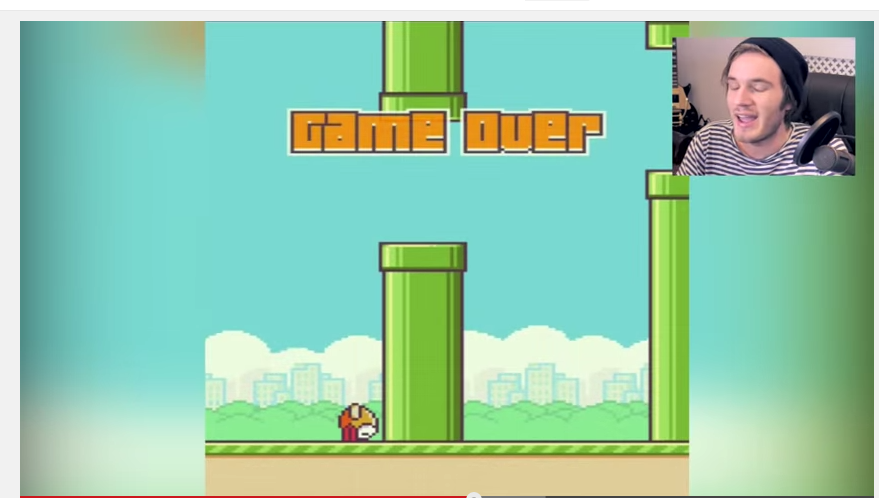
How does one create that blur effect on low res games? I'd like to record a game like this but want to fill in those horrible black bars.


Sony Vegas Pro 11
Fair play. Do you know what the effect is called on your editing software? perhaps it is named the same thing on sony vegasShoot, in that case I can't help you! Sorry :/
Fair play. Do you know what the effect is called on your editing software? perhaps it is named the same thing on sony vegas

If I'm not mistaken, it's called a Gaussian Blur.
I use Sony Movie Studios. So on the foundation, basically the same thing. If I was trying to create this effect I would place the game you were playing as the top layer and also add it to the bottom layer. Take the bottom layer and expand the video by clicking on the track motion (Should be right next to the name of the layer). In your video FX there is an effect called "Gaussian blur". Apply this effect to the bottom layer and viola. But if you don't want the bottom layer to be animated, in sync with the top layer, you can just use a pic and apply the same method.

